


Astha Pregnancy
4.719.00 Reviews
App Specs
- Version
- 1.6.26
- Updated On
- License
- Free
- Downloads
- 500,000+
- Developer
- Kaazal Dots
- Categories
- Parenting
- Platform
- Android
Screenshots
 Analysis by AppCompare
Pregnancy information is most useful when it fits into the small gaps of an ordinary day: a quiet moment on the bus, a question that comes up after an appointment, or a note you want to remember before you forget it. That is the kind of practical role I would look for in Astha Pregnancy, a free parenting app from Kaazal Dots. Its focus is a Bangla pregnancy experience, which makes language a meaningful part of its appeal rather than a minor setting.
Where connectivity changes the experience
Pregnancy apps can feel effortless when a phone has a strong connection, but the same routine may be less convenient in a waiting room, on a commute, or at home with unreliable service. The app’s store summary describes an offline motherhood journey, so offline use is part of its intended appeal. I would still treat connectivity as something to check in practice: open the sections you expect to use before heading somewhere with weak reception, and see what remains accessible on your device.
That small check matters because “offline” can mean different things in everyday use. A guide already loaded on a phone is useful when a signal drops; a community discussion or newly refreshed material may involve different network needs. Rather than assuming every part behaves the same way, I’d test the particular pages and tools I care about while connected, then revisit them with the connection disabled. This is a sensible habit for any pregnancy companion, especially when the point is to consult it away from home.
Built for brief mobile moments
Pregnancy questions rarely arrive on a schedule. I can imagine opening a week-by-week guide for a quick read before an appointment, then using a tracker later when there is enough privacy and time to enter personal information. That makes a phone-based guide convenient, but it also calls for a little care: entering health notes in a public place or on a shared device may not feel comfortable for everyone.
For a more useful routine, I would keep the app’s role narrow and deliberate. Use it to organize questions, follow a stage-based guide, or record information you want to discuss with a clinician; avoid treating a quick phone check as a diagnosis. If a symptom feels urgent or worrying, contacting a healthcare professional is a better next step than searching through an app, regardless of how reassuring its content may be.
Recovering when a session is interrupted
Phones lock, calls arrive, and a connection can disappear midway through a task. With any tracker, I recommend checking whether an entry was saved before closing the screen, especially if you are recording something you may want to discuss later. If you are tracking a pattern over time, consistency is more useful than trying to reconstruct several missed entries from memory.
There is also a practical difference between a timer and a reference page. A timer is most useful when you can keep the app available and focus on the event being recorded; a guide can often be read in short bursts. I would not let a device interruption create extra stress. If a record matters for care, write down the relevant details in whatever dependable way works for you and share them with your provider.
Worth Reading Before You Choose

EA SPORTS FC Mobile 26 Is a Bigger Football Game, but It Takes Time

Flipboard Shows What News Apps Must Do Beyond the Feed

Switching to Android Auto Means Rethinking Your Driving Routine

Google Calendar Makes a Crowded Week Easier to Manage

Ludo King Makes the Most of the Minutes Between Plans

Baby Panda World Brings Quick Play to Modern Phones, but Its Game Library Feels Busy
Using data thoughtfully
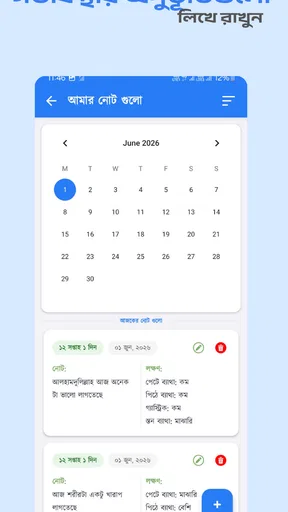
Pregnancy notes can feel personal, so it is worth deciding what you actually want to record before making the app part of a daily routine. A simple note about a question for the next visit may be more valuable than tracking every possible detail. I’d also avoid entering information just because a field exists: use the items that support a real conversation or help you notice a change, and leave the rest alone.
Data use and connectivity are linked in a practical way. Before relying on any app to keep an important record, understand how it behaves on your own phone, whether it remains available when you are offline, and what you would do if you changed devices. I can’t infer those specifics from the app’s general offline positioning, so a cautious approach is to keep essential medical details in the record-keeping method recommended by your healthcare team.
Features That Shine
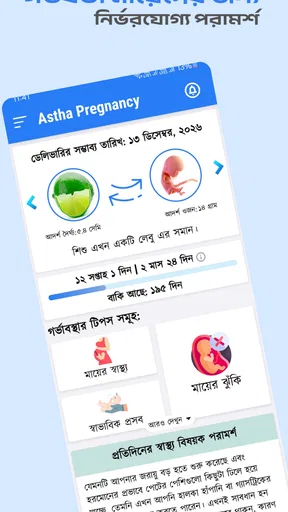
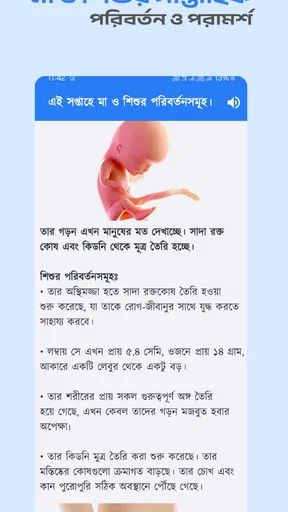
Astha Pregnancy is packed with tools and resources designed to guide you through every stage of pregnancy. One of the first things that caught my attention was the week-by-week guide. It breaks down your pregnancy into manageable chunks, providing insights into what's happening to both the mother and the baby.
The app also includes a kick counter and a contraction timer. These tools are incredibly handy as you get closer to your due date. I found the kick counter particularly useful during the third trimester, as it helps you monitor your baby's movements and stay in tune with their activity levels.
Personalized Experience
What really sets the app apart is its ability to offer a personalized experience. From the moment you enter your due date, the app tailors its advice and tips specifically to your stage of pregnancy. It’s like having a personal pregnancy coach in your pocket.
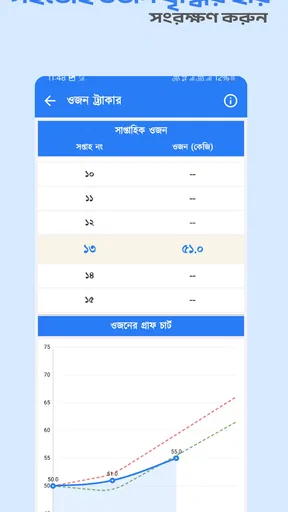
The app also allows you to track your weight, blood pressure, and even your mood. These features make it easier to keep an eye on your health and well-being, ensuring you and your baby are on the right track.
Community and Support
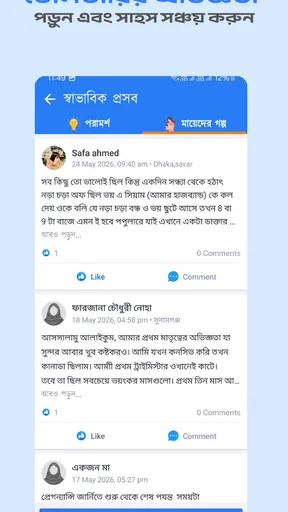
Feeling connected during pregnancy is crucial, and the app understands this well. The app features a vibrant community section where you can interact with other expectant parents. You can share your experiences, ask questions, and even find support groups tailored to specific needs or interests.
This sense of community can be invaluable, especially for first-time parents who might feel overwhelmed. It's reassuring to know you're not alone and that others are going through similar experiences.
Design and Usability
When it comes to design, the app keeps things simple and intuitive. The interface is clean, with easy navigation that ensures you can find what you need without any hassle. The color scheme is calming, which is a nice touch for an app catering to expectant parents.
The app is available on both Android and iOS, making it accessible to a wide range of users. Installation is straightforward, and I didn’t encounter any bugs or glitches during my testing period.
Information You Can Trust
One of the app’s biggest strengths is the quality of its content. The information provided is backed by medical professionals, ensuring you receive reliable advice. This is crucial, as there’s a lot of misinformation out there, and having a trustworthy source makes a big difference.
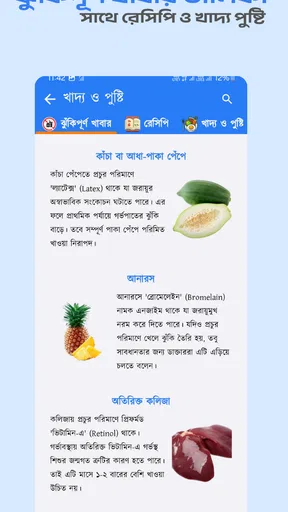
Everything from nutrition tips to exercise recommendations is covered, giving you a well-rounded resource to refer to throughout your pregnancy.
Who is likely to get the most from it?
I see the clearest fit for someone who wants pregnancy guidance in Bangla and prefers one place for a stage-based guide, basic tracking, and peer conversation. It may also suit a partner who wants to follow along and help remember questions for appointments. The app’s free price removes a direct cost barrier, while its Everyone age rating makes it broadly accessible; neither point should be confused with medical supervision or a guarantee that every feature suits every family.
It is less compelling if you already have a trusted care team that provides a detailed pregnancy plan and you only want a specialist medical reference. Likewise, someone who avoids social features, prefers a paper journal, or is uncomfortable recording health details on a phone may use only a small part of the app. The best test is to start with one need—such as reading the current week’s guidance—and add trackers only if they make your routine easier.
A realistic way to fit it into a day
Imagine checking the week-by-week material over breakfast, then jotting down one question about a symptom to raise at a prenatal visit. Later, you might use a tracker if your clinician has suggested monitoring a particular pattern. If the day gets busy, there is no need to complete every section or maintain a perfect streak. The useful outcome is a clearer conversation and a little more organization, not an obligation to spend more time on your phone.
A helpful trade-off is to separate reference from record keeping. Use the app to understand broad topics and keep a concise list of questions, but retain important clinical instructions in the format your provider uses. That reduces the risk of relying on a forgotten app entry when a detail needs to be exact, and it keeps routine reading from becoming a substitute for personalized care.
How it compares with familiar alternatives
Compared with a printed pregnancy booklet, a phone app is easier to carry and can bring stage-related material and interactive tools together. A booklet, however, does not depend on a charged phone and may be easier to annotate or share at an appointment. Compared with a general web search, a dedicated pregnancy app can offer a more organized path through topics, while search results may be faster for a narrow question but vary in quality and context.
Compared with a standalone tracker, this app’s broader mix of guidance, personal logging, and community support may be more convenient for someone who wants several kinds of help together. The compromise is that a broad app is not automatically the best tool for every job. For clinical decisions, direct advice from a qualified professional is stronger than either a community post or a general guide; for private reflection, a personal notebook may be the better fit.
What to check before making it a habit
The app has a 4.6 average from around 3.1 thousand ratings, and it has passed 100 thousand installs. Those figures suggest that many people have chosen to try it, but they do not tell me whether its language, approach, or community will feel right for an individual user. I would use the first session to check that the content is understandable, the layout feels comfortable, and the available tools match the way you want to manage pregnancy information.
It was released on September 7, 2023, and version 1.6.26 is listed for devices running Android 7.0 or later. Those details are useful when checking whether an older phone can install it, but compatibility alone does not say how smoothly it will run on a particular device. Keeping the operating system current where possible and opening the app before an important appointment are simple ways to avoid avoidable surprises.
Final Thoughts
So, is it worth a download? In my opinion, absolutely. Its comprehensive set of features, combined with a user-friendly interface and reliable information, make it a solid choice for anyone on the pregnancy journey.
If you're looking for an app that offers both practical tools and a supportive community, this could be the one for you. Whether you're a first-time parent or adding another little one to the family, it is designed to make your experience smoother and more enjoyable.
As always, remember that while apps like this can provide valuable support, they are no substitute for regular check-ups with your healthcare provider. Happy parenting!
My connectivity verdict
I would treat the app as a useful companion for reading and organizing, while checking offline access for the specific material I plan to consult away from a reliable signal. For someone who wants Bangla pregnancy guidance and several practical tools in one place, that balance can work well. If uninterrupted access, precise clinical records, or a clinician-led service is the priority, I would pair it with a more dependable source rather than asking one app to do everything.
Pros
- User-friendly interface for easy navigation.
- Comprehensive week-by-week pregnancy guides.
- Personalized health tips tailored to user data.
- Includes a contraction timer for labor tracking.
- Supports multiple languages for wider accessibility.
Cons
- Requires a stable internet connection.
- Limited features in the free version.
- Ads may interrupt user experience.
- Some features need manual data input.
- In-app purchases can be costly.
FAQs for Astha Pregnancy
What features does the Astha Pregnancy app offer?
The Astha Pregnancy app provides a comprehensive set of features designed to support expecting parents throughout their pregnancy journey. It includes weekly updates on fetal development, personalized health tips, nutrition guidelines, exercise routines, and access to a supportive community and expert advice. It's a one-stop app for all pregnancy-related needs.
Is the Astha Pregnancy app free to use?
The Astha Pregnancy app offers a combination of free and premium features. Users can access basic tools and information at no cost, but for a more enhanced experience, including exclusive content and personalized guidance, a subscription may be required. This ensures a tailored experience to meet specific needs.
How does the app ensure the accuracy of its information?
Astha Pregnancy collaborates with healthcare professionals and uses evidence-based research to provide accurate and reliable information. The app regularly updates its content to incorporate the latest medical guidelines and findings, ensuring users receive trustworthy advice and insights throughout their pregnancy journey.
Can the app be customized for multiple pregnancies?
Yes, the Astha Pregnancy app allows customization for different types of pregnancies, including single, twin, or multiple pregnancies. It adjusts its recommendations and updates to reflect the unique needs and developmental milestones of each pregnancy type, offering a tailored experience for every user.
Is the Astha Pregnancy app compatible with both Android and iOS devices?
The Astha Pregnancy app is available on both Android and iOS platforms, ensuring compatibility with a wide range of devices. Users can download the app from the Google Play Store or Apple App Store, making it easily accessible regardless of their preferred operating system.


